
Tip another player
Send part of your balance to another player. It lands in their balance instantly, with no fee.
Open your Wallet and choose Tip.
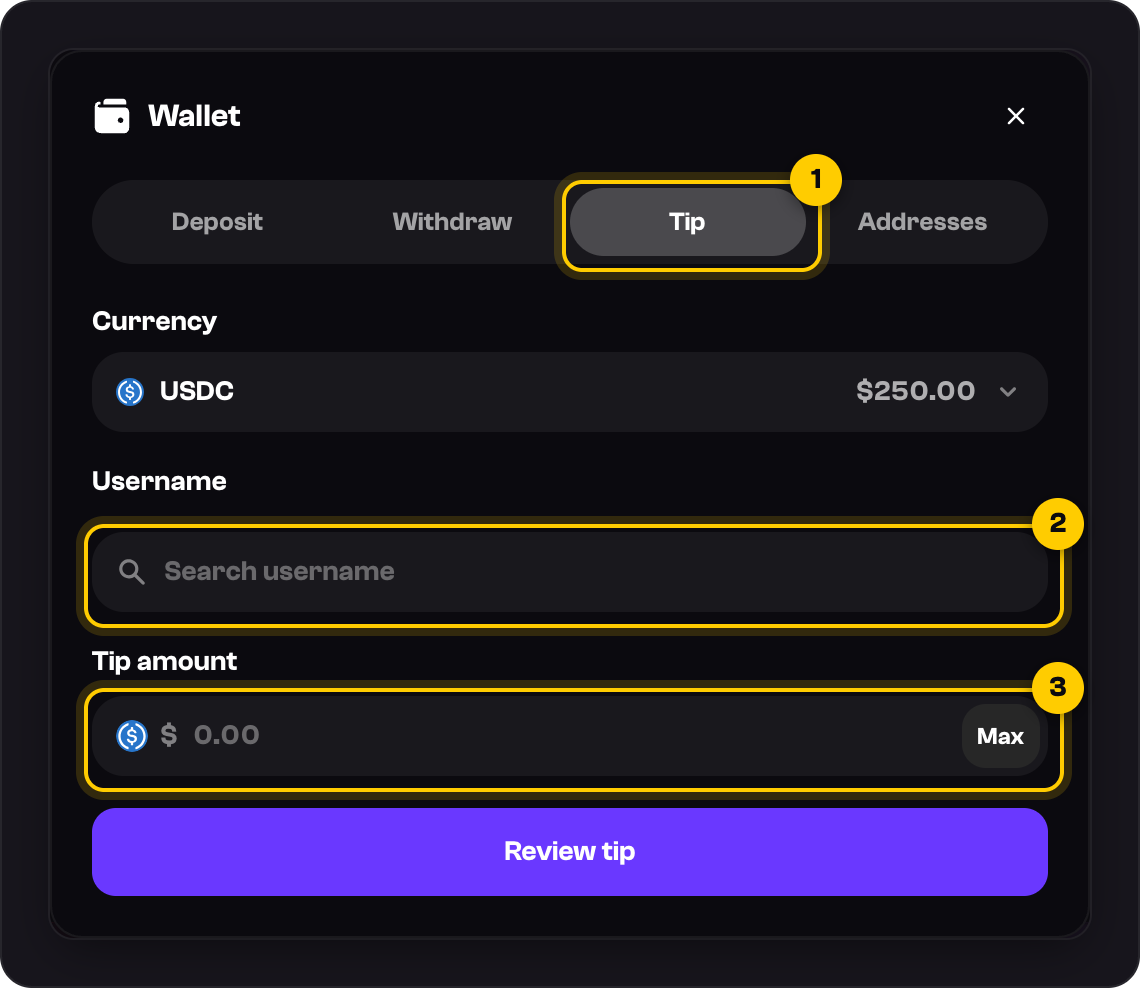
Under Username, search for the player.
Pick the coin under Currency, then enter the Tip amount in dollars.
Press Review tip, check the details, and press Send tip. If you use two-factor authentication, enter your code too.
Each tip can be $1 to $100, and you can send up to $500 in 24 hours. If you go over a limit, the screen tells you.
Good to know
- Check the username before you send. Tips arrive instantly.
- You can also tip from a player's profile card with Send a tip.
- You can't tip until every deposit has been wagered once, the same rule as withdrawals.
- The price is held for one minute while you review. If it runs out, press Back, then Review tip again.
- Every tip you send or receive is listed in Settings → Transactions under Tips.
Was this helpful?