
Save your withdrawal addresses
Save the wallets you withdraw to, and pick them from a list instead of pasting an address each time.
Open your Wallet and choose Addresses.
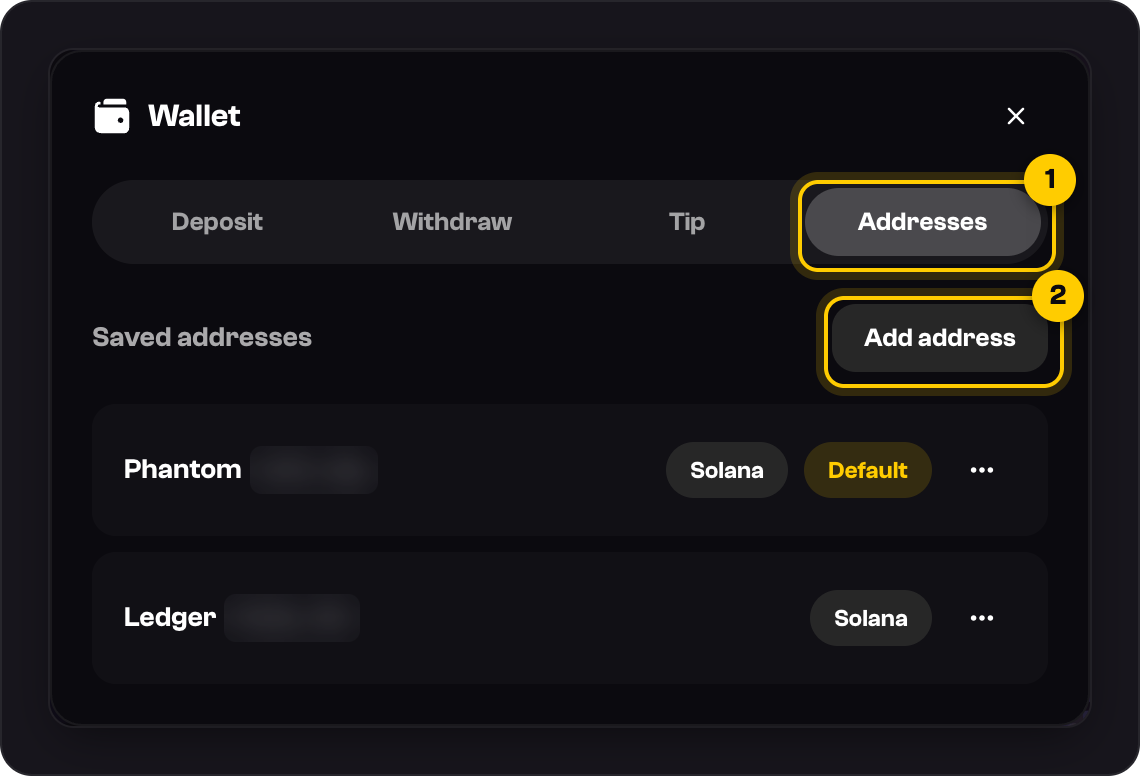
Press Add address.
Leave Chain on Solana, paste your Address, and add a Label like Phantom if you want.
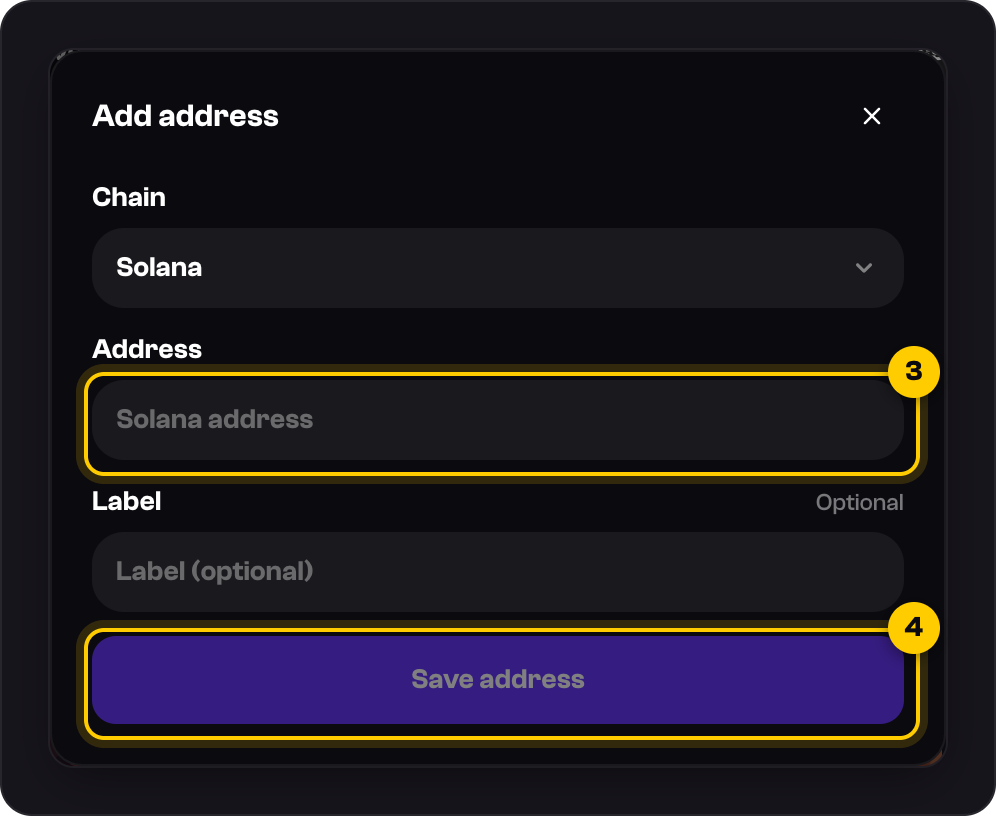
Press Save address.
Next time you withdraw, pick it from Saved addresses next to Destination. Use the ••• menu to make an address your default or to remove it.
Good to know
- You can save up to 10 addresses per chain.
- Saved addresses are a shortcut, not a lock. You can still paste any address when you withdraw.
- Only save wallets you control. Never save a ShaftKings deposit address; withdrawals to one are refused.
Was this helpful?