
Turn on two-factor authentication
Two-factor authentication (2FA) asks for a 6-digit code from an app on your phone whenever you sign in or send a tip. Someone who learns your password still can't get in.
Open Settings → Security and turn on Two-factor authentication.
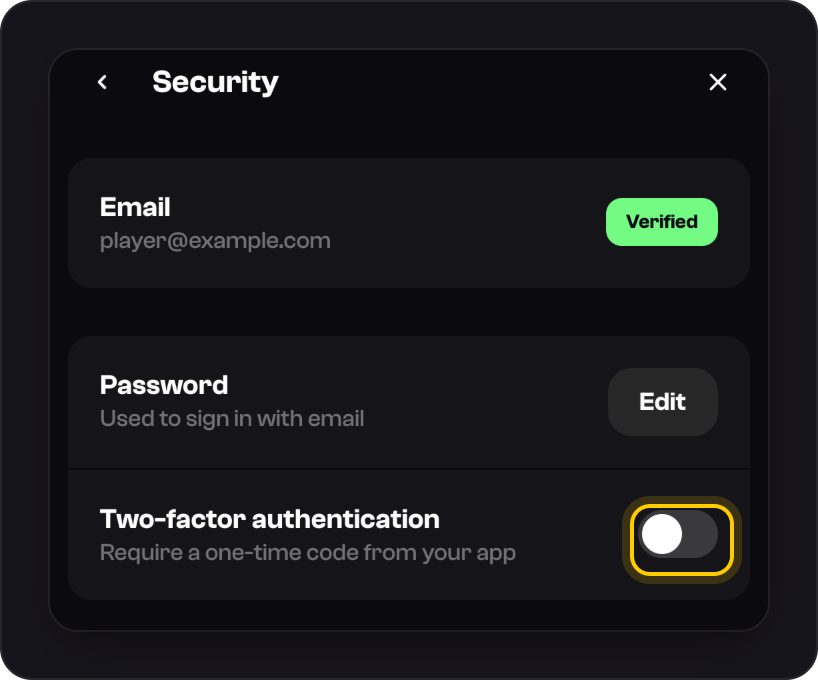
Enter your Current password and press Continue.
Copy the key under Or enter this key manually into a password manager, then scan the QR code with your app or type the key in.
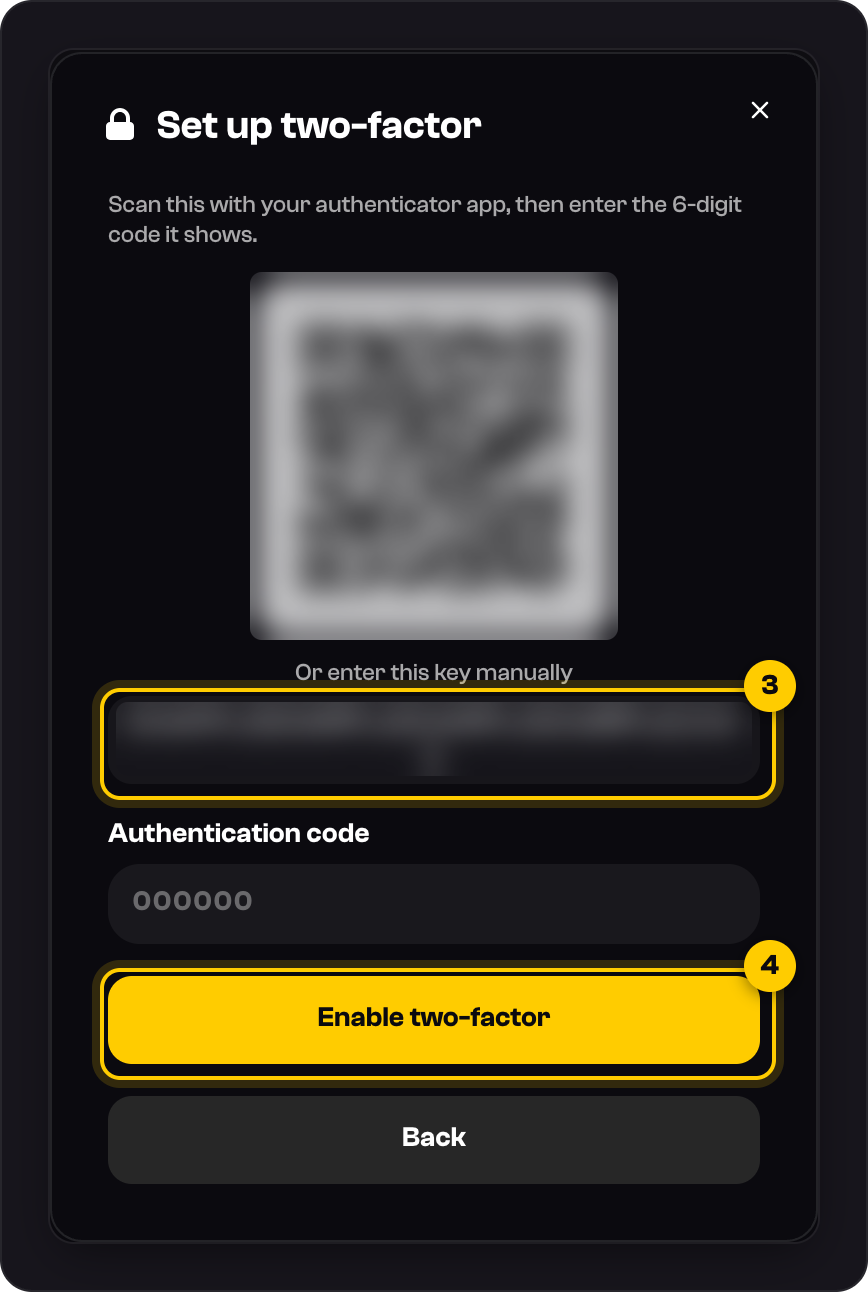
Enter the 6-digit Authentication code and press Enable two-factor. You'll be signed out everywhere, so sign in again with your password and a code.
On a phone
Use the key instead of the QR code, since you can't scan your own screen.
Good to know
- Keep your setup key somewhere safe, like a password manager. We don't issue backup codes, so the key is how you move 2FA to a new phone.
- Five wrong codes in a minute pause code entry for 60 seconds.
- To turn it off, use Disable two-factor in the same place. It asks for your password and a current code, and signs you out everywhere.
- Lost your phone? See Lost your authenticator app?
Was this helpful?